What readers usually run into
- Faded thermal receipts
- Handwritten forms
- Phone shadows
- Smudges
Why receipts and forms are fragile
Thermal receipt text fades, forms pick up wrinkles and shadows, and handwritten fields may be light or inconsistent. A cleanup that is too strong can make totals, dates, checkboxes, or handwritten entries less trustworthy even if the page looks cleaner.
Preserve values first
The prompt should mention totals, dates, line items, field labels, and handwriting. Ask for readability improvement without changing content or moving fields. After generation, review the cleaned page against the original before using it for reimbursement or records.
Good examples
This works for expense receipts, intake forms, signup sheets, maintenance forms, and phone-captured paperwork. It is not meant for filling form fields, editing official values, or replacing accounting review.
Avoid over-cleaning
If a receipt has faint thermal text, over-sharpening can create false-looking characters. If a form has boxes or lines, over-whitening can make boundaries disappear. Use a conservative prompt and check all important fields.
What to inspect after generation
Receipts and forms contain high-risk details: totals, tax, dates, vendor names, checkboxes, account numbers, and handwritten entries. After cleanup, compare those details against the original scan. If a digit becomes ambiguous or a checkbox border fades, regenerate with a lighter prompt. A visually cleaner receipt is not useful if the values become less reliable.
Prompting for forms
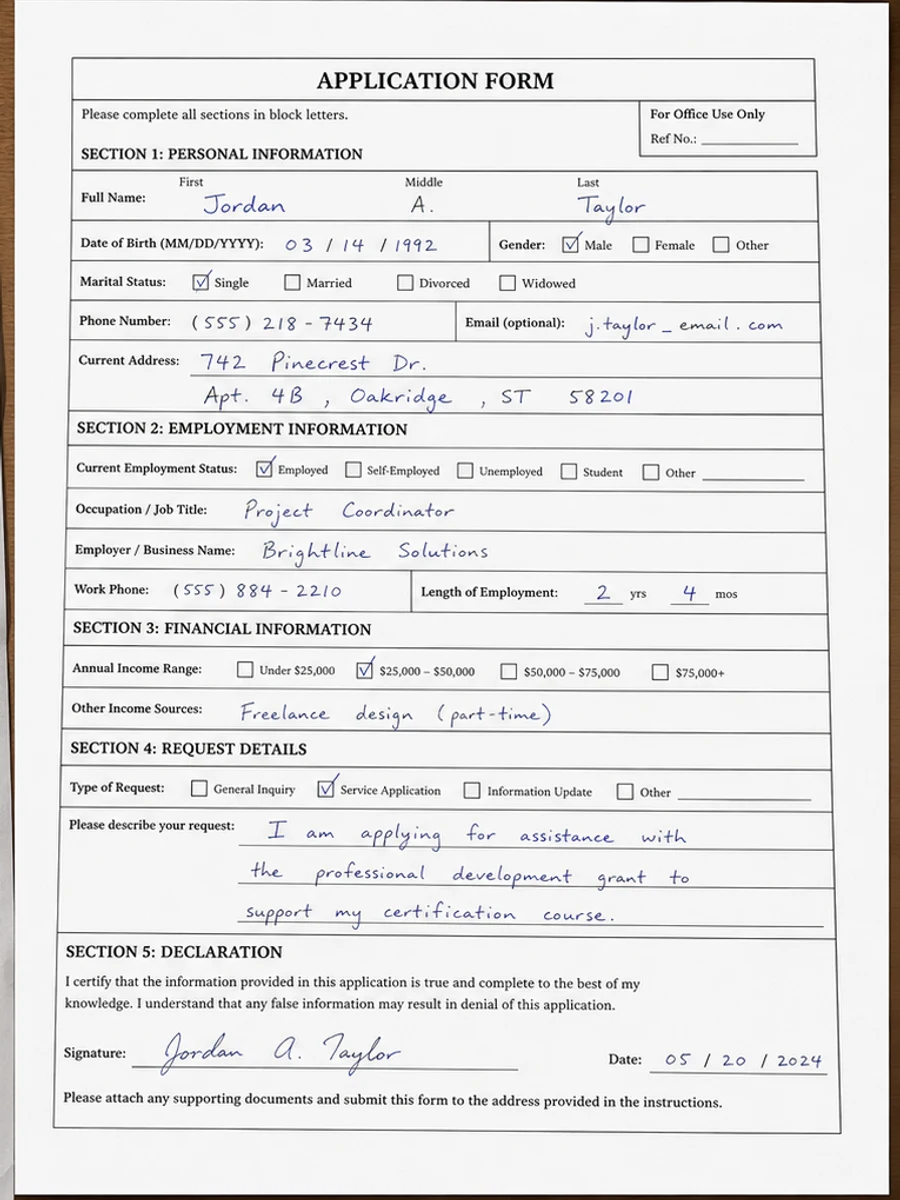
For forms, tell the prompt to preserve field boundaries, labels, handwriting, checkmarks, and alignment. If the form was captured by phone, add shadow and perspective cleanup, but avoid asking for a redesigned or flattened layout. The goal is a cleaner scan of the same form, not a new version of the form.
Prompting for receipts
For receipts, emphasize faded thermal text, wrinkles, shadows, and smudges. Ask the tool to darken line items and totals without inventing missing numbers. Barcodes, logos, and store names may also need preservation. If the receipt is too faded to verify, cleanup can help readability but should not be treated as proof of the missing information.
When forms need extra caution
Forms often mix printed labels, handwriting, checkboxes, stamps, and signatures. A cleanup that improves one element can weaken another. Review every filled field, not just the overall page. If the form will support a reimbursement, application, or internal record, compare the cleaned copy against the original scan before sharing it. RedesignPDF can make review easier, but it should not become the authority for what a value says.
Example prompt for receipts and forms
For a receipt, use: "Darken faded thermal print, reduce wrinkles, smudges, and shadows, and preserve totals, dates, line items, barcodes, and layout." For a form, use: "Clean shadows and background noise, preserve field labels, boxes, handwriting, stamps, checkmarks, and alignment." These prompts keep the cleanup focused on readability and prevent the model from treating important filled-in information as removable noise.
Related example to compare
Before exporting, compare the result with a receipt or handwritten form example and then with your original page. The example shows what cleaner contrast can look like; the original tells you whether the values stayed faithful. If those two checks disagree, trust the original and regenerate with a lighter prompt. This is especially important for totals, dates, and checked boxes. Keep the source visible during review and document any uncertainty before sharing the cleaned file with another person, team, finance process, approval workflow, or system. Do not discard the source scan.
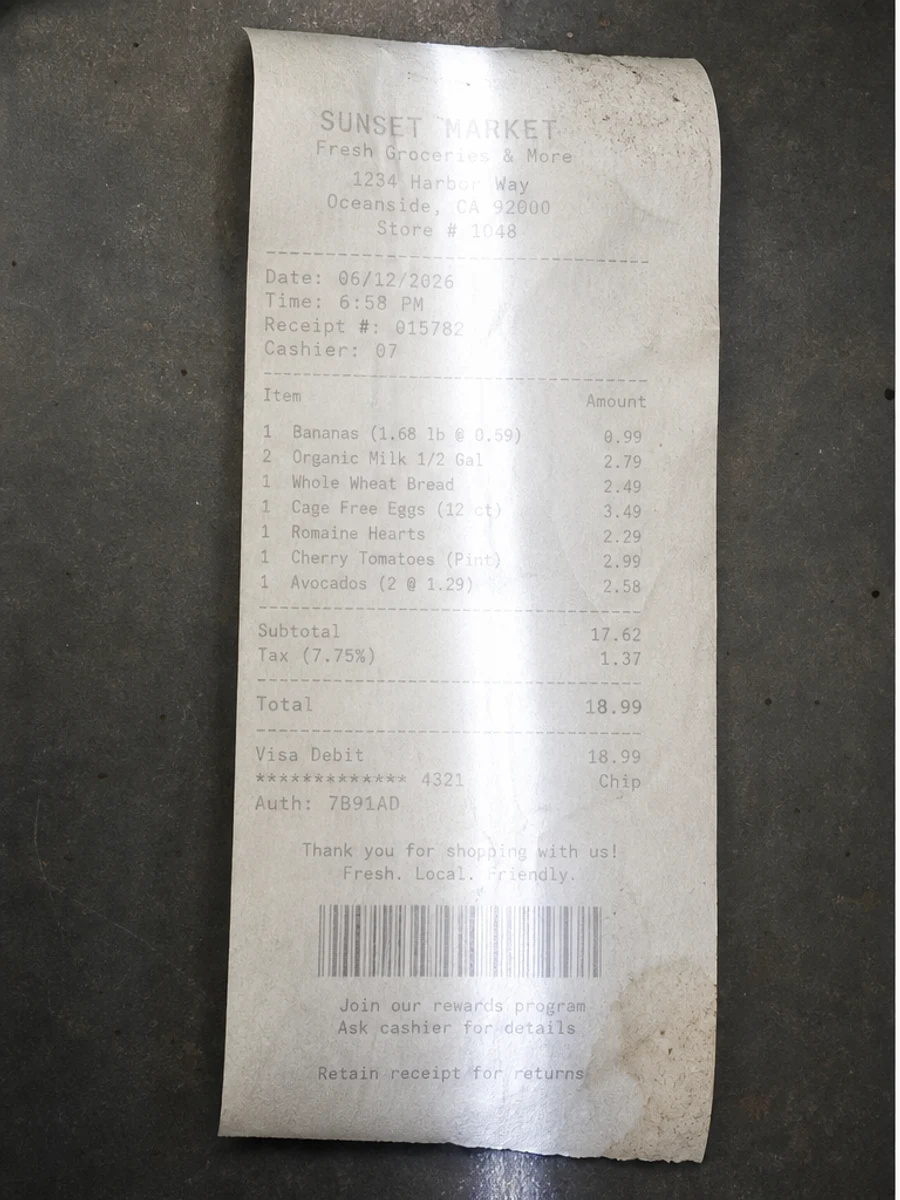
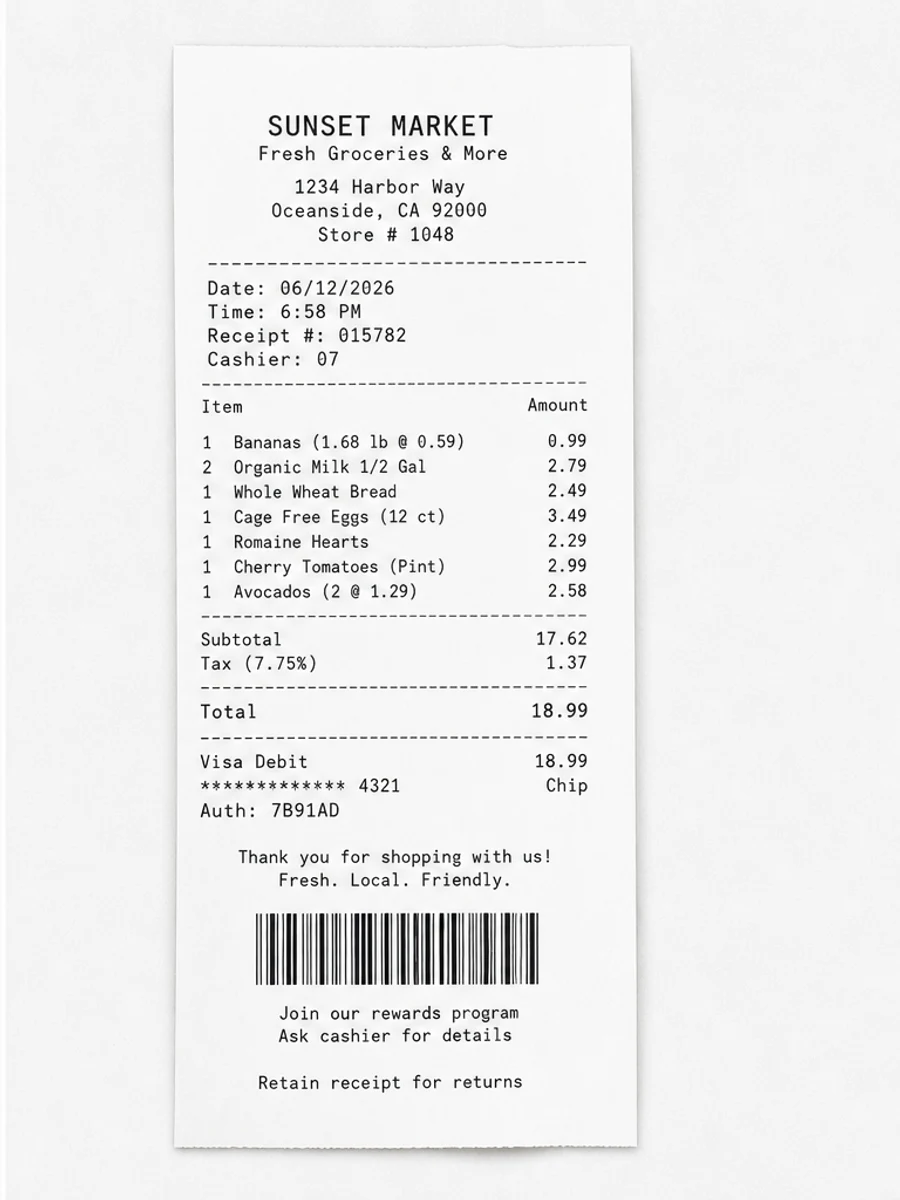
Inline before and after example: Clean a scanned receipt
Step-by-step tutorial
- Start with the clearest page.
- Clean shadows and background.
- Darken weak text carefully.
- Preserve form fields.
- Review totals and handwritten entries.
- Export only after checking values.
Prompts you can paste
01Clean this scanned receipt or form, darken weak text, reduce shadows and smudges, and preserve all fields, totals, handwriting, and layout.
02Improve readability without changing values. Keep dates, amounts, checkboxes, labels, and handwritten entries exactly where they are.
03Use light cleanup for this form scan. Reduce background noise and phone shadows, but do not invent missing text or alter any numbers.
When RedesignPDF is a good fit
- Receipts where text is visible but faded
- Handwritten forms with shadows or smudges
- Image-based paperwork that needs easier review
When it is not the right tool
- Changing receipt values
- Filling PDF forms
- Extracting accounting data automatically
Common mistakes
- Not checking totals after cleanup.
- Letting background cleanup erase form lines or checkboxes.
- Using the cleaned copy as proof without comparing it to the original.
Related reading
FAQ
Can I use this for receipts?
Yes, for visual cleanup, but review totals, dates, vendor names, and line items before exporting.
Can RedesignPDF fill PDF forms?
No. It is not a form-filling tool. It improves the visible scanned page image.
Can it read receipt data for me?
No. It does not extract structured receipt data. Use a separate OCR or expense tool if you need extraction.
Conclusion
If your goal is a clearer scanned PDF while keeping the original layout, start with a conservative prompt, process one page, and review text, tables, numbers, handwriting, and stamps before exporting. If you need editable text, PDF-to-Word conversion, form filling, or precise text-layer editing, use OCR, a PDF editor, or a better rescan instead.
Upload scanned PDF