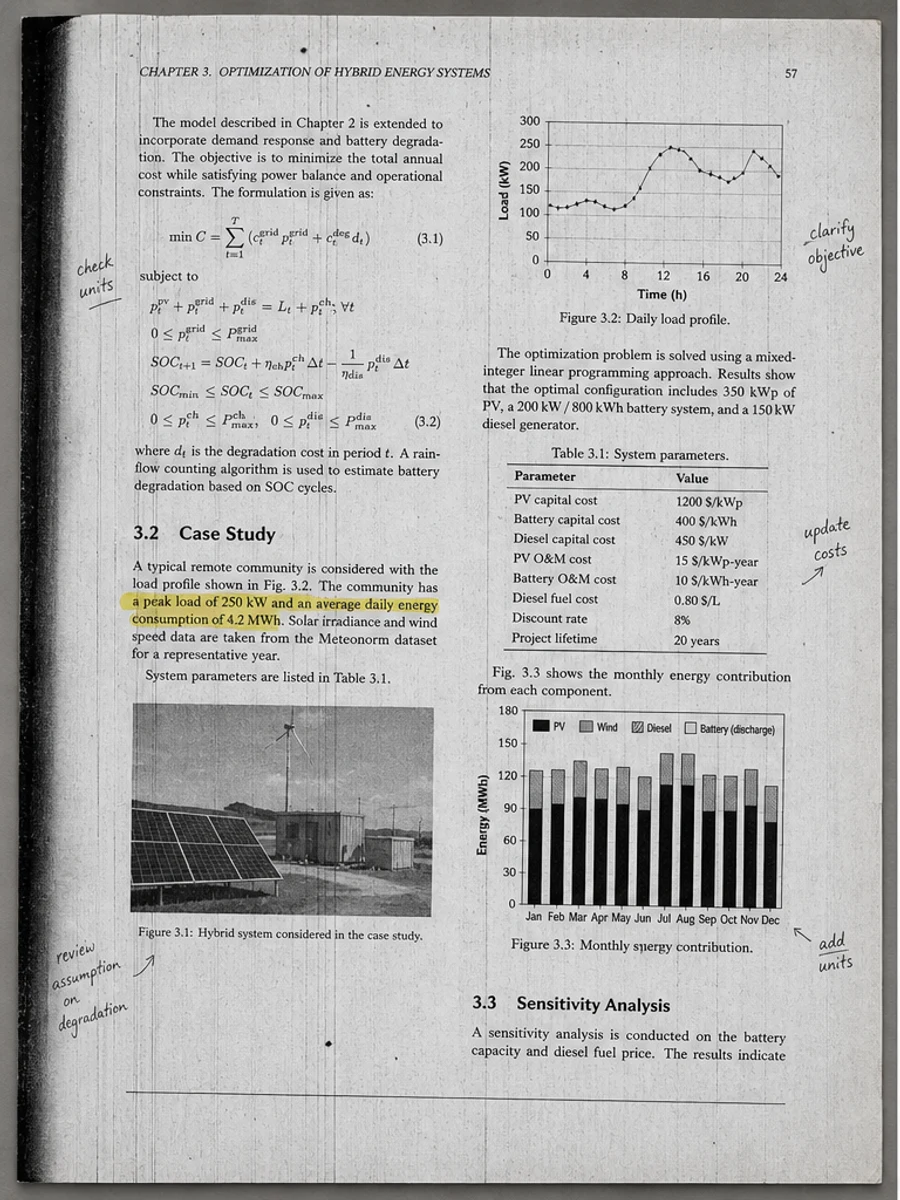
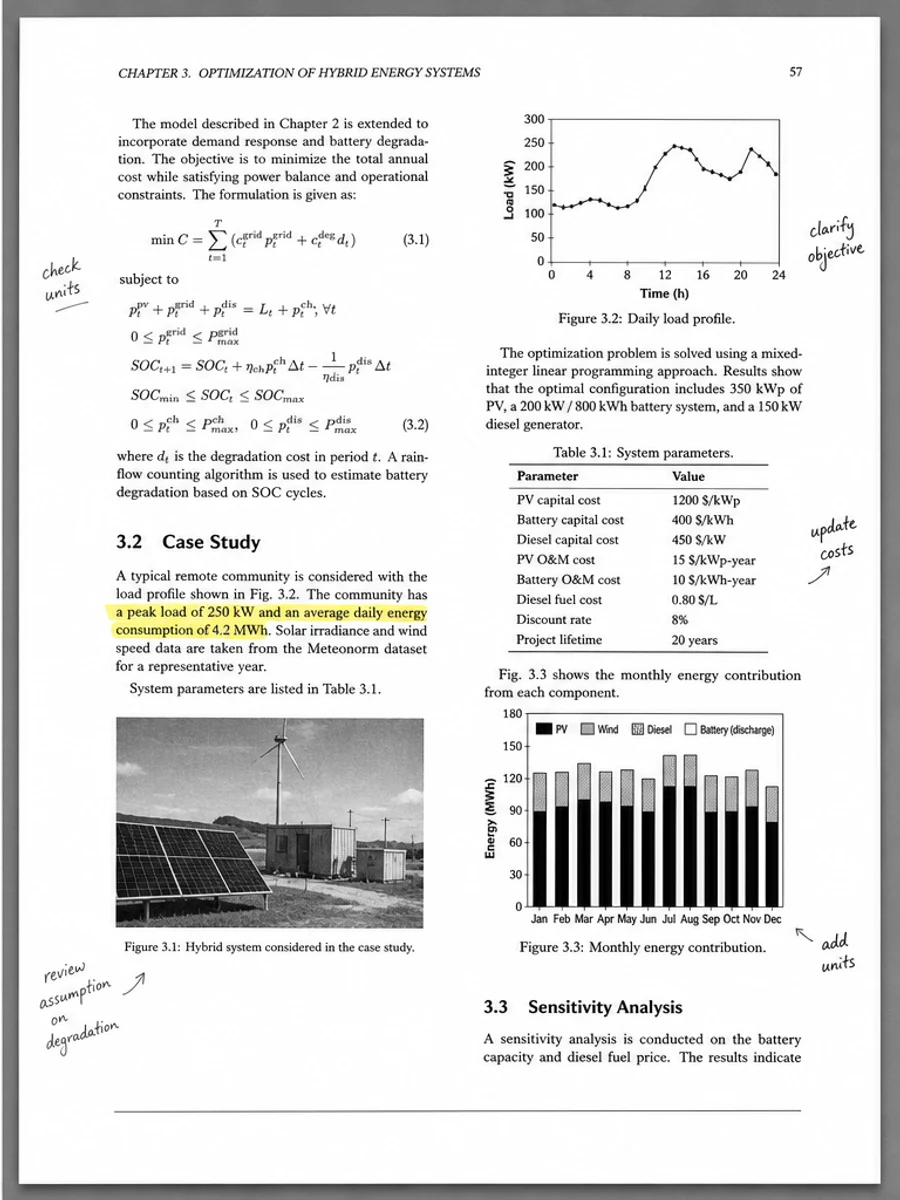
Clean the gray background and keep the same layout.
Edit a non-editable PDF page with AI
Upload a PDF that is hard to edit, describe the visible change you want, and generate a new image-based PDF page. Best for flattened PDFs, image-based PDFs, and final PDF files without the original source document.
RedesignPDF edits the selected PDF page like an image, then exports it back into a PDF.
AI regenerates the selected page image. Review important information before exporting or sharing.
Before / After
How it works
- Upload your PDF
- Choose one page
- Describe what to change
- Generate preview and export
Upload PDF -> choose one page -> describe the change -> AI regenerates the page -> export PDF
Why some PDFs are not editable
- Text may be flattened and cannot be selected like normal text.
- The page may be image-based instead of built from structured text and objects.
- The original Word, PowerPoint, Canva, or design source file is missing.
- The exported PDF may not contain editable objects.
What you can change visually
textdatespriceslogosimagessignatureslabelsheadingslayout details
Example prompts
Darken faded text while preserving the page structure.
Remove shadows and scan noise from this page.
Improve readability without changing the original content layout.
Export the cleaned page as an image-based PDF.
Non-editable PDF vs scanned PDF
A scanned PDF usually comes from a scanner or camera and may need cleanup, contrast enhancement, or shadow removal. A non-editable PDF may be a clean final PDF, but its text or objects cannot be edited directly.
If your file is a scanned document with shadows or low contrast, see Edit scanned PDF.
RedesignPDF vs Acrobat / OCR
Acrobat and OCR are better for real text layers, forms, searchable text, and structured PDF objects. RedesignPDF is better when you do not have the source file, cannot select text, and only need to change visible page content.
If your file is scanned or image-based, see Edit scanned PDF.
Use cases
- Edit a non editable PDF when text is not selectable or normal PDF object editing does not work.
- Handle final PDFs, flattened PDFs, image-based PDFs, and PDF files without the Word, PowerPoint, Canva, or design source file.
- Change visible text, dates, prices, logos, images, signatures, labels, headings, and layout details.
What RedesignPDF does
RedesignPDF treats the selected PDF page as a visual page and regenerates it with your requested visible change.
It is useful when you need to edit PDF without source file access or edit PDF when text is not selectable.
RedesignPDF does not convert the PDF into a fully editable text-layer document. It regenerates the selected page as an image-based PDF.
Important limitations
- The exported PDF is image-based, so text may not remain selectable or searchable.
- Use Acrobat or OCR when you need searchable text, form fields, comments, or structured PDF object editing.
- Use caution with legal contracts, invoices, and files where every character must be exact.
FAQ
Can I edit a non-editable PDF with RedesignPDF?
Yes, you can try visual edits on a non-editable PDF page. Upload the PDF, choose one page, describe the visible change, then review the generated image-based PDF page before export.
Does RedesignPDF make my PDF fully editable?
No. RedesignPDF does not convert the PDF into a fully editable text-layer document. It regenerates the selected page as an image-based PDF.
Can I edit a flattened PDF?
Yes. Flattened PDFs are a good fit when you only need to change visible content such as text, dates, prices, logos, or images on one page.
Can I edit a PDF without the source file?
Yes. This workflow is designed for cases where you have the final PDF but not the original Word, PowerPoint, Canva, or design source file.
Is this different from editing a scanned PDF?
Yes. A scanned PDF usually comes from a scanner or camera and may need cleanup. A non-editable PDF may be a clean final PDF whose text or objects simply cannot be edited directly.
Will the exported PDF have selectable text?
Usually no. The exported PDF is image-based, so text may not remain selectable or searchable.
When should I use Acrobat or OCR instead?
Use Acrobat or OCR when you need real text layers, searchable text, form fields, comments, or structured PDF object editing. Use RedesignPDF when the page is hard to edit normally and you only need a visible page change.