What readers usually run into
- The text is visible but too pale to read comfortably.
- The page has gray scanner haze or copier background.
- A phone scan has side shadows, curved pages, or uneven lighting.
- OCR performs badly because the page image is noisy or low contrast.
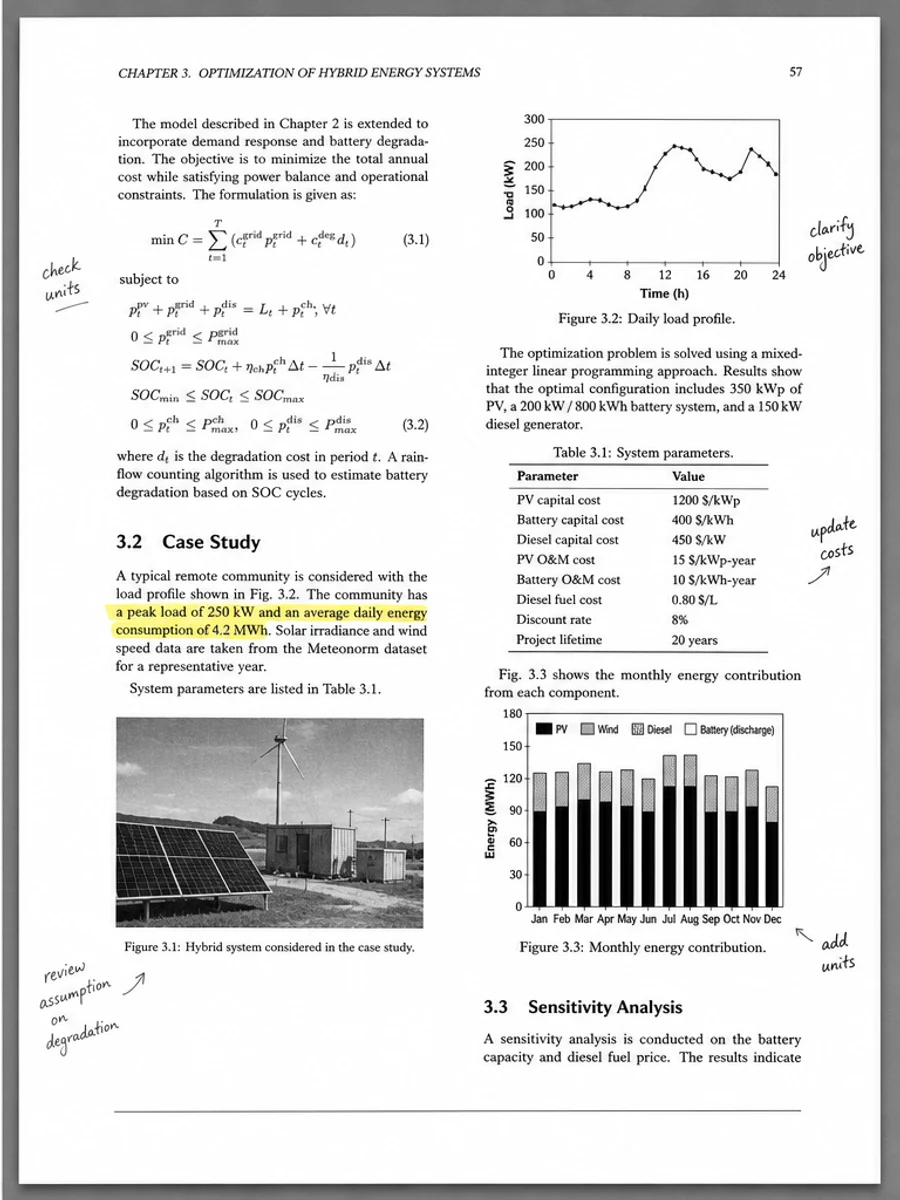
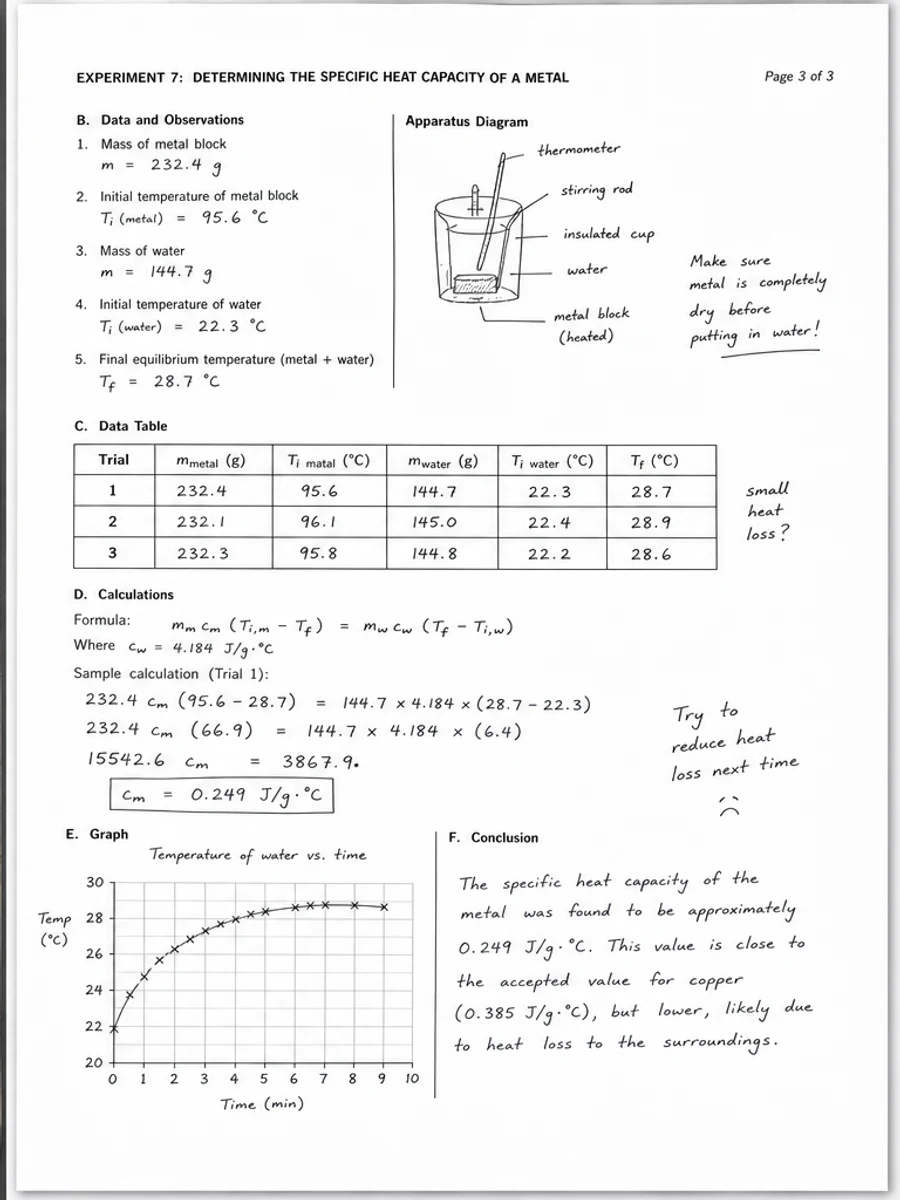
- Small numbers, handwriting, stamps, or table lines must not be lost.
Start by diagnosing the scan, not the tool
A scanned PDF can be hard to read for different reasons, and each reason needs a different fix. If the letters are visible but pale, contrast cleanup can help. If the page has a gray scanner background, copier haze, or phone shadows, background cleanup may help. If the photo is out of focus, cropped, or too compressed, no cleanup tool can reliably recover missing detail. Spend one minute zooming into the worst page before doing anything else. Ask: are the characters actually present, or am I hoping software will guess them?
When a rescan is the better answer
The best SEO article answer is not always 'use our tool.' Rescan when the photo is blurred, a corner is cut off, the page is curved near the spine, or important numbers are already unreadable. Use flat lighting, keep the camera parallel to the page, and scan before compressing the file. A better source scan usually beats an aggressive cleanup pass.
When visual cleanup makes sense
Visual cleanup is useful when the scan contains the needed information but is unpleasant to read: faded text, gray paper tone, dirty photocopy marks, mild shadows, speckles, or low contrast. In that case, the goal is not to make a new document. The goal is to make the same page easier for a human to read. RedesignPDF is designed for this image-based cleanup workflow: darken visible text, reduce distracting background artifacts, preserve layout, and export a cleaner image-based PDF.
Do not confuse cleanup with OCR
OCR and visual cleanup solve different problems. OCR tries to recognize text and create a searchable or selectable text layer. Visual cleanup improves the page image itself. If OCR is failing because the scan is dirty or low contrast, clean the scan first, then run OCR in a separate tool. But do not treat a cleaner-looking PDF as proof that OCR will be perfect. Dates, amounts, names, tables, and handwritten notes still need review.
Use one representative page first
Do not batch-process a whole document on the first try. Pick the grayest page, the page with the weakest text, or the page with the worst shadow. Work on that page, compare the result, and only then decide whether the prompt is suitable for the rest of the file.
Write the prompt like a repair note
A useful prompt names both the defect and the boundary. Instead of 'make this PDF better,' write what you see: 'darken faded text,' 'reduce the gray scanner background,' 'clean the side shadow,' or 'reduce speckles.' Then add what must not change: layout, table lines, handwriting, stamps, checkboxes, and spacing.
Review the result like a reader would
After cleanup, read the document at normal zoom. If you have to zoom in to understand every paragraph, readability has not improved enough. Then inspect fragile parts: small numbers, dates, footnotes, totals, table values, signed marks, handwritten entries, and stamps. Good cleanup reduces distraction while keeping small details stable.
If the result looks too artificial
Over-cleaned scans are easy to spot: paper becomes unnaturally white, faint annotations vanish, table rules break, or stains turn into hard dots. If that happens, regenerate with a more conservative instruction such as 'light cleanup,' 'preserve fine lines,' and 'do not over-whiten the page.'
A practical workflow
First, inspect the source and decide whether a rescan is needed. Second, choose one representative page. Third, apply a conservative cleanup prompt. Fourth, compare before and after at normal and close zoom. Fifth, adjust the prompt if lines, notes, or values are weakened.
What a good final result looks like
A good cleaned scan should feel boring in the best way: same page, same structure, easier reading. Text has stronger contrast, background noise distracts less, shadows are reduced, and important marks remain. It should not look rewritten, redesigned, or converted into an editable document.
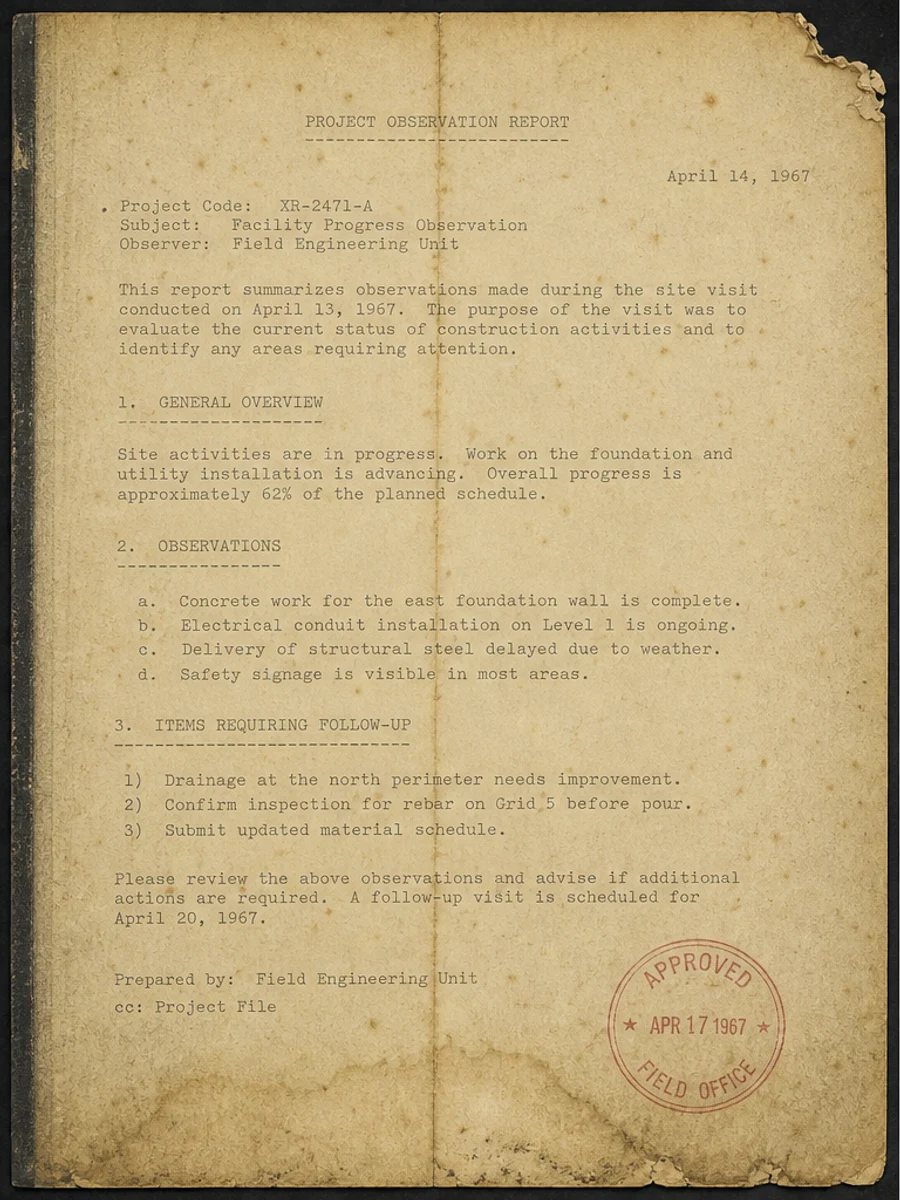
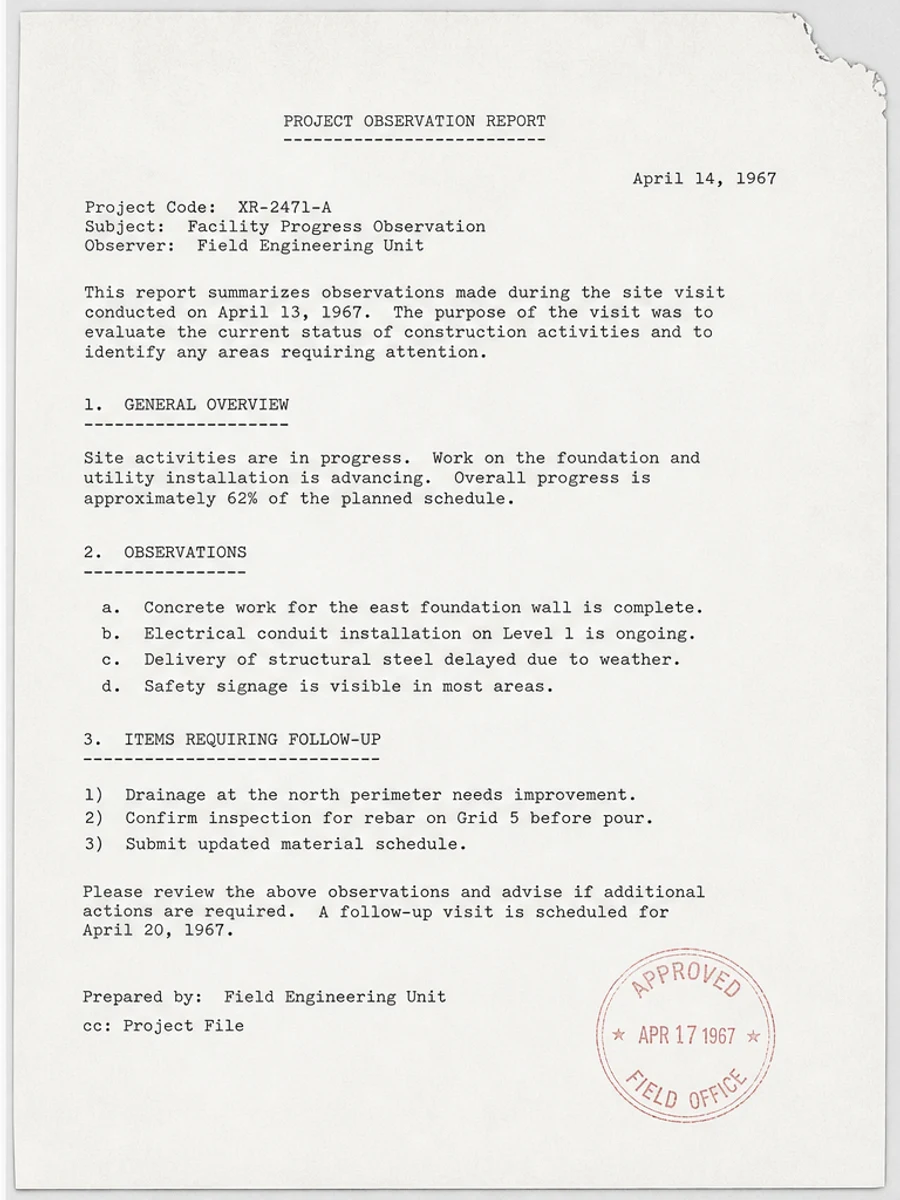
Inline before and after example: Fix a faded scanned PDF page
Step-by-step tutorial
- Inspect the source scan and decide whether the details are actually present.
- Rescan first if the page is blurred, cropped, curved, or missing important content.
- Choose one representative page instead of processing the whole PDF.
- Use a conservative prompt that names the visible defects and what must be preserved.
- Compare before and after at normal reading size and close zoom.
- Check names, dates, totals, table values, handwriting, stamps, and small labels.
- Export only when readability improves without weakening important details.
Prompts you can paste
01Darken the visible faded text, reduce the gray scanner background and mild shadows, preserve handwriting, stamps, table lines, margins, and the original layout.
02Clean this scanned page conservatively for readability. Reduce copier haze and speckles, improve text contrast, and do not erase pale notes, signed marks, checkboxes, or thin lines.
03Prepare this scanned PDF page for easier human review and possible OCR later. Do not rewrite content, do not create new text, and keep page spacing and alignment unchanged.
When RedesignPDF is a good fit
- Scans where the original text and marks are visible but low contrast
- Pages with gray backgrounds, mild shadows, stains, speckles, or photocopy haze
- Documents that need a clearer image-based PDF for human reading or OCR preparation
When it is not the right tool
- Recovering text from a blurred, cropped, or missing source scan
- Creating selectable OCR text or a fully editable PDF
- Changing exact wording, filling forms, converting to Word, or verifying legal evidence
Common mistakes
- Starting with the upload button before deciding whether the scan should simply be rescanned.
- Whitening the page so aggressively that pale table lines, pencil notes, or stamps disappear.
- Judging the result by thumbnail brightness instead of reading names, dates, amounts, and small labels.
- Assuming visual cleanup is the same thing as OCR or exact text-layer editing.
Related reading
FAQ
Should I clean the scan or rescan it?
Rescan if the page is blurry, cropped, curved, or missing detail. Clean it when the information is visible but hard to read because of faded text, gray background, shadows, stains, or low contrast.
Will this create searchable or selectable text?
No. RedesignPDF improves the visible page image and exports an image-based PDF. Run OCR separately if you need searchable or selectable text.
Can cleanup improve OCR results?
It can help when OCR is struggling with background noise or low contrast, but OCR still needs a separate tool and human review for names, dates, numbers, tables, and handwriting.
What should I check before exporting?
Read a paragraph at normal zoom, then inspect fragile details: small numbers, dates, totals, signed marks, stamps, handwriting, table lines, and footnotes.
Conclusion
If your goal is a clearer scanned PDF while keeping the original layout, start with a conservative prompt, process one page, and review text, tables, numbers, handwriting, and stamps before exporting. If you need editable text, PDF-to-Word conversion, form filling, or precise text-layer editing, use OCR, a PDF editor, or a better rescan instead.
Upload scanned PDF