حالات شائعة
- نسخ فاتح
- إيصالات باهتة
- كتابة بالقلم الرصاص
- نص آلة كاتبة قديم
Why faded text needs careful handling
Faded scans often contain weak strokes, pencil notes, thermal receipt text, or typewriter ink that is close to the paper color. A heavy contrast boost can help the main text but damage stamps, photos, checkboxes, or small annotations if the prompt is too broad.
Prompt for contrast, not rewriting
Ask for darker visible text and cleaner background while keeping wording, spacing, and layout unchanged. The product should not invent missing characters or rebuild a text layer. Treat the result as a visual restoration that must be checked against the source.
Documents where it helps
This is useful for old letters, pale photocopies, pencil-filled forms, receipts, worksheets, and scanned pages where the content is visible but tiring to read. It is not suitable for exact transcription, legal verification, or converting a scan into Word.
Review small details
After generation, zoom into names, numbers, totals, signatures, and handwriting. If some text becomes too bold or background speckles turn into dots, ask for a lighter cleanup and preserve original marks.
Before and after expectations
A successful darkening pass should make weak strokes easier to follow while leaving the document structure familiar. It should not change line breaks, invent characters, or make every mark equally dark. For receipts and forms, the after image should make totals and labels easier to inspect. For old typewritten pages, it should strengthen letters without turning paper texture into heavy speckles.
How to write a safer darkening prompt
The safest prompt names the text problem and the preservation rules together. Say that the text is faded, then ask to darken it while preserving handwriting, stamps, tables, page spacing, and margins. If the scan includes pencil notes or light signatures, mention them explicitly. This reduces the chance that the cleanup treats pale but meaningful marks as background noise.
When darkening is not enough
Some scans are not faded; they are blurred, compressed, or photographed out of focus. Darkening those pages can make them harsher without making characters more accurate. If the after image looks bolder but still unreadable, stop and check whether the original scan contains enough detail. A rescan with better focus may be the only honest fix.
How to handle mixed faded content
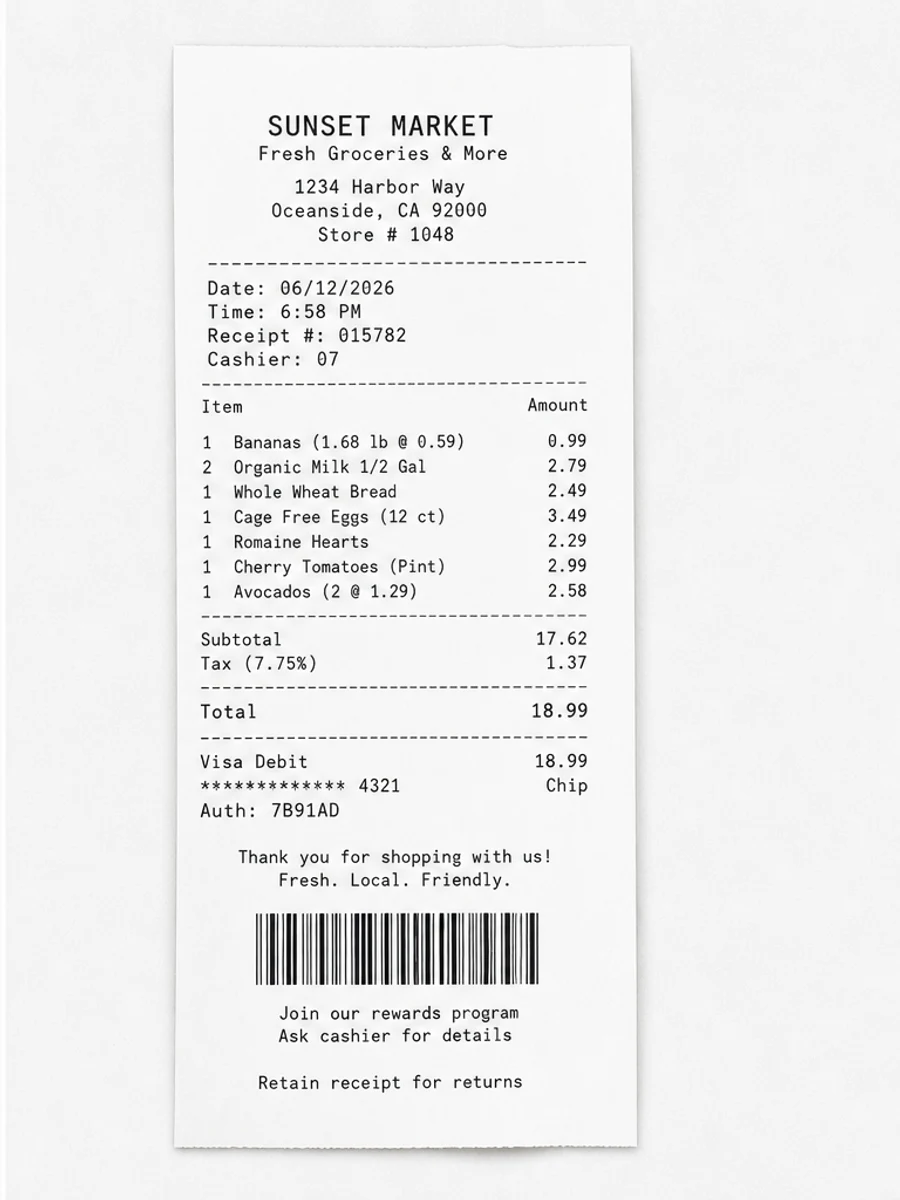
Many pages contain both dark and faded elements. A receipt may have a bold store logo but weak line items; an old letter may have readable headings but pale body text; a form may have printed labels and pencil handwriting. Tell the prompt which part needs darkening and which parts must be preserved. After generation, compare the weakest content first, because that is where visual cleanup is most likely to create false confidence.
Darkening without changing meaning
Darkening should make existing strokes easier to see, not decide what a faint character should be. If a letter or digit is ambiguous in the original, the cleaned version should be treated as an aid, not an authority. For financial, academic, or legal documents, keep the original scan beside the enhanced copy. The goal is better readability for human review, not automatic correction of uncertain text.
Related example to compare
If you are unsure how far to push the effect, compare your page with a faded-scan before and after example. The after page should feel easier to read, but still preserve the character of the source document. That comparison helps keep the prompt from drifting into unrealistic restoration or content rewriting.
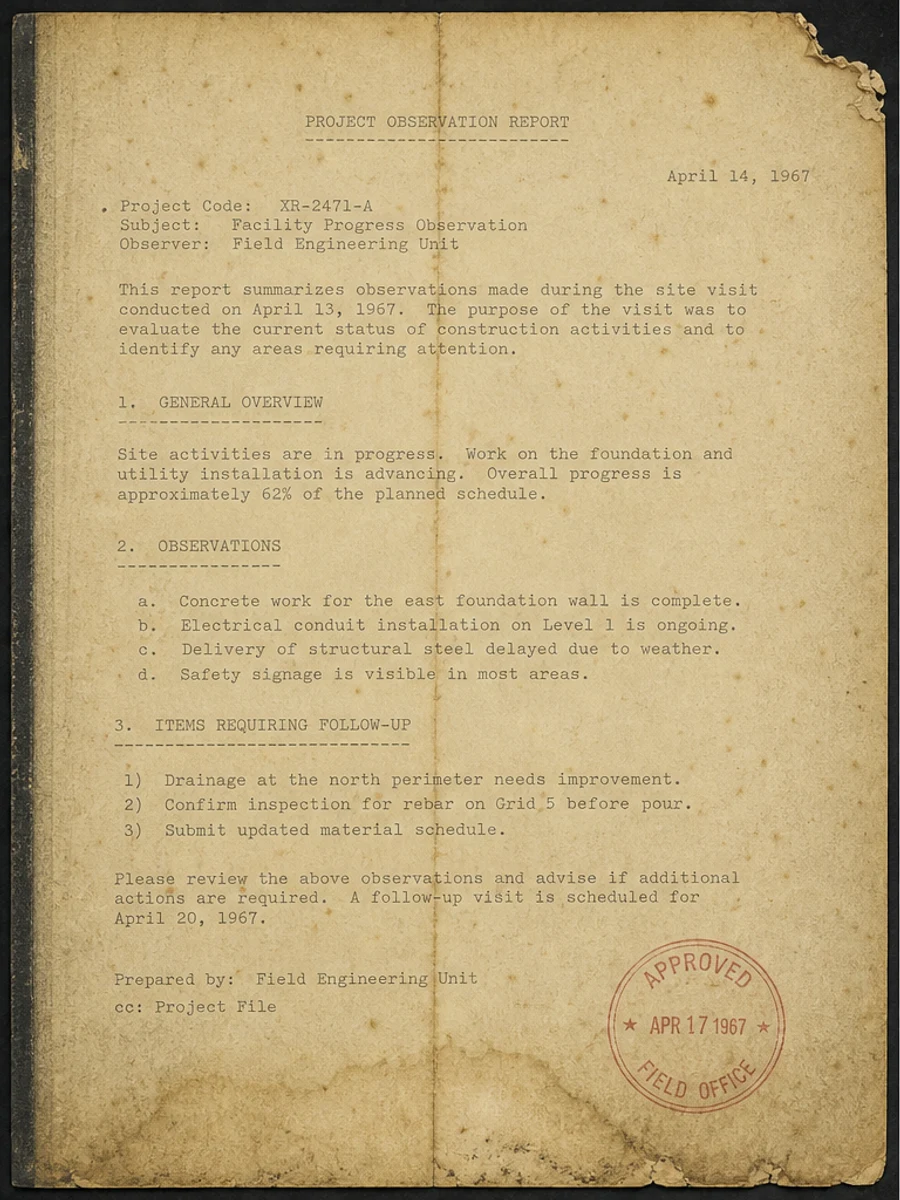
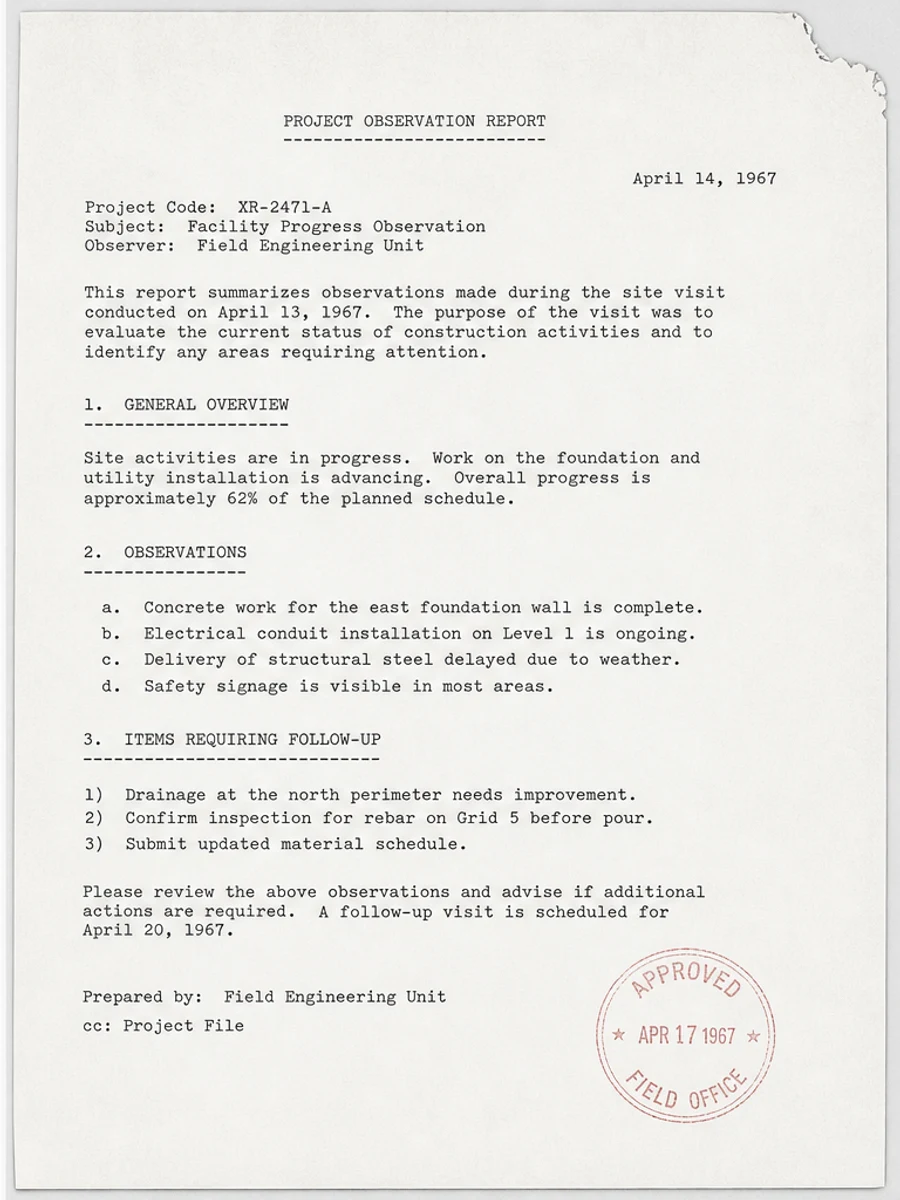
قبل وبعد: Fix a faded scanned PDF page
خطوات العمل
- افتح ملف PDF الممسوح ضوئيا.
- اختر الصفحة التي يظهر فيها «تعميق النص الباهت في ملف PDF ممسوح ضوئيًا» بوضوح.
- استخدم أمر تحسين متحفظ للوضوح.
- قارن الصفحة قبل المعالجة وبعدها.
- تحقق من النصوص والأرقام والتواريخ والجداول المهمة.
- صدّر الملف بعد التأكد من النتيجة.
أوامر جاهزة للاستخدام
01نظّف صفحة PDF الممسوحة ضوئيا مع التركيز على تعميق النص الباهت في ملف PDF ممسوح ضوئيًا، وقلّل الخلفية الرمادية والظلال والبقع، واحتفظ بالتخطيط الأصلي كما هو.
02حسّن الوضوح بشكل متحفظ: قوِّ النص الباهت ونظّف الخلفية، مع الحفاظ على الكتابة اليدوية والأختام والجداول والعلامات.
03أعد إنتاج هذه الصفحة الممسوحة ضوئيا بصورة أوضح، دون تغيير النصوص أو الأرقام أو مواضع العناصر.
متى يناسبك RedesignPDF
- صفحات PDF الممسوحة ضوئيا التي ما زال نصها مقروءا.
- المستندات المصورة التي تحتاج وضوحا بصريا أكبر.
- الملفات التي يكون الهدف منها تحسين القراءة لا تعديل النص.
متى لا يناسبك RedesignPDF
- تعديل طبقة النص في PDF بدقة.
- تحويل PDF إلى Word أو استخراج بيانات آلي.
- المستندات الرسمية التي تحتاج تحققا قانونيا أو أرشيفيا.
Common mistakes
- المبالغة في التبييض حتى تختفي الخطوط الرفيعة والعلامات الفاتحة.
- الخلط بين التنظيف البصري وتحويل OCR.
- التصدير قبل مراجعة الأرقام والتواريخ والجداول والكتابة اليدوية.
اقرأ أيضا
FAQ
هل يمكن لـ RedesignPDF معالجة تعميق النص الباهت في ملف PDF ممسوح ضوئيًا؟
نعم، عندما تكون الصفحة صورة ممسوحة ضوئيا والهدف تحسين الوضوح البصري. راجع النتيجة قبل التصدير.
هل يصبح النص قابلا للتحديد بعد المعالجة؟
لا. يعمل المحرر على صورة الصفحة ويصدّر ملف PDF مصورا؛ النص يبقى غير قابل للتحديد، وهذه ليست أداة OCR.
ما الذي يجب التحقق منه قبل التصدير؟
راجع النصوص والأرقام والتواريخ والجداول والكتابة اليدوية والأختام، لأن إعادة الإنتاج بالذكاء الاصطناعي قد تغيّر تفاصيل دقيقة.
الخلاصة
إذا كان هدفك أن تصبح الصفحة الممسوحة ضوئيا أوضح وأسهل قراءة مع الحفاظ على التخطيط الأصلي، ابدأ بصفحة واحدة وبأمر متحفظ، ثم راجع النصوص والجداول والأرقام والكتابة اليدوية قبل التصدير. أما إذا كنت تحتاج إلى تعديل طبقة النص أو تحويل PDF إلى Word أو تعبئة نماذج بدقة، فاستخدم أداة OCR أو محررا متخصصا أو أعد المسح.
ارفع ملف PDF